For organizations on Exchange 2016 or 2019, on Google Workspace, or merging or splitting Microsoft 365 tenants on a deadline.
We move email, files, and Teams to Microsoft 365 from your own Exchange servers, Google Workspace, or another tenant. Each move is tested with a pilot group and cut over in waves, with a way back at each step.
Where your mail lives today sets the route. Any Exchange server that has to stay is upgraded and run in hybrid. Files and Teams move with the mail, or on their own as a Teams, SharePoint, and OneDrive project.
Exchange to Exchange Online
Scoped per mailbox count and coexistence
Mailboxes moved from your own Exchange servers to Exchange Online, with both running side by side where needed.
What you get
Discovery of mailboxes, mail flow, DNS, and transport rules
Hybrid configuration where coexistence is needed
Microsoft Entra Connect, single sign-on, and MFA set up first
Migration checklists, a pilot group, then waves
Legacy Exchange servers decommissioned
Best for
Exchange 2013, 2016, or 2019 still on your servers, with support ended.
Exchange Server upgrade and hybrid
Scoped per server count and coexistence
Exchange 2016 or 2019 moved to Exchange Server Subscription Edition in hybrid with Microsoft 365, for mailboxes or relay that must stay.
What you get
Exchange Server Subscription Edition sized for its role
Hybrid configuration with your Microsoft 365 tenant
Mail flow, certificates, and application relay
Old Exchange servers decommissioned
Best for
Mailboxes that must stay on-premises, or applications that still relay through Exchange.
Google Workspace to Microsoft 365
Scoped per user count
Mail, calendars, contacts, and Drive moved to Microsoft 365, with the tenant set up right before anything moves.
What you get
Tenant basics first: emergency access account, MFA, domains, group licensing
Mail, calendar, and contacts pre-staged, then cut over in one planned window
Drive and shared drives moved with a permissions review
Teams and SharePoint defaults set, with a training session
A documented list of what Google cannot export
Best for
An organization on Google Workspace moving everything to Microsoft 365.
Tenant-to-tenant migration
Scoped per tenant and workload
Mailboxes, OneDrive, and SharePoint moved from one Microsoft 365 tenant to another, and Teams rebuilt in the target, for mergers, divestitures, and rebrands.
What you get
Identity, Exchange Online, OneDrive, SharePoint, and Teams assessed in both tenants
Big bang or coexistence, decided with the limitations written down
Sign-in change scripted for cutover night, with the Outlook profile update
Dry run, then a weekend cutover with a day-after support plan
Source tenant decommissioned, with the record kept
Best for
Two tenants that have to become one, or one that has to split.
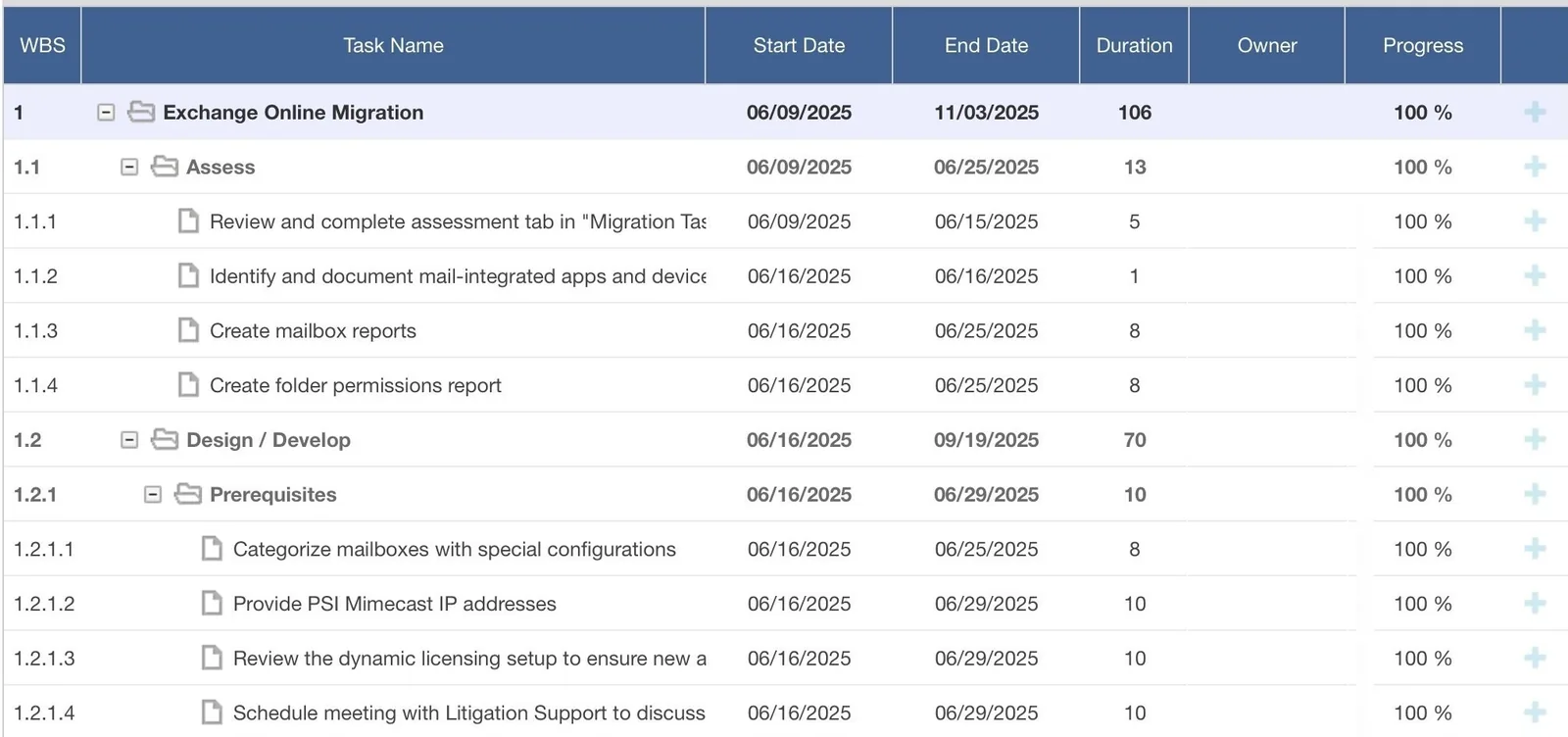
Assess, then design and develop, task by task with dates and progress. A 2025 migration to Exchange Online, from the project tool we use when a client has no preference. Owner names removed.
A global mobility and workforce development firm needed its desktops, email, and intranet moved to the Microsoft platforms current at the time, and none of the work could interrupt its people.
A global premium automotive manufacturer brought Preeminent Solutions in to upgrade its email, then hired us again for the next upgrade.
DeliveredRead more
Questions we get
How long does a Microsoft 365 migration take?
A small Google Workspace move runs a few weeks, and a hybrid Exchange migration with pilot waves runs months, depending on mailbox count, data volume, and coexistence. The Assess phase at the start typically takes 2–3 weeks.
Will email go down during the cutover?
Not during working hours. Mailboxes move in waves, usually overnight or over a weekend, with both systems running side by side where the design calls for it. The pilot group goes first, and each wave has a way back.
Can you move us from one Microsoft 365 tenant to another?
Yes, for mergers, divestitures, and rebrands, with a dry run before a weekend cutover. When a deal sits behind it, M&A IT Integration adds the day-one plan.
Should we keep any Exchange servers on-premises?
Usually one, for application relay, if applications still send mail through Exchange. Exchange Server Subscription Edition is the supported option for that role, and we size it for relay rather than mailboxes.
What makes a Microsoft 365 migration bigger or smaller?
Mostly the number of mailboxes, the volume of data, and whether the source is on-premises Exchange, Google Workspace, or another tenant. Coexistence adds to the work, as does anything that moves with the mail, such as files, Teams, or archives.
What do you need from us?
A project manager on your side and a technical contact who knows the environment. We also need the administrator roles for the migration, granted for the project and removed after, and a help desk queue for the cutover. We write the communications and the quick-reference guides.
Talk to us about Exchange and Microsoft 365 Migration
It starts with a 60-minute call. If we need more to scope it, a short questionnaire follows. Then a written proposal and statement of work. Once you approve, we begin with the Assess phase.