Teams Phone

For organizations with a PBX that predates hybrid work, a hosted phone service to fold into Teams, or a Teams tenant that could carry calling.

We move you to Teams Phone from a legacy PBX or another phone provider. That covers calling design, numbers ported in waves, auto attendants and call queues, emergency calling by location, and the handover.

How we help

We move your calling to Teams Phone and can keep it running for you once the project closes.

Teams Phone migration

Scoped per site and number count

A legacy PBX or hosted phone service replaced with Teams Phone: calling design, carrier connection and number porting in waves, devices, and rollout and handover.

What you get

  • Dial plans, call queues, auto attendants, and voicemail
  • Emergency calling that routes by the caller’s location
  • Operator Connect through a carrier, or Direct Routing on your session border controller
  • Numbers ported in waves, one system authoritative per number
  • Desk phones, and the analog lines that stay
  • Test handbook, training, and extra support after each wave

Best for

Calls still on a PBX or hosted service, with numbers that have to keep working through the move.
Teams Phone operations

Teams Phone run after cutover: number and queue changes, call-quality review, emergency-location upkeep, and Tier 3 support, under Managed Azure and Microsoft 365.

What you get

  • Number, queue, and attendant changes
  • Call-quality review and carrier escalation
  • Emergency location data kept current
  • Tier 3 support behind your help desk

Best for

A Teams Phone system nobody owns after the project team left.

See Managed Azure and Microsoft 365

Teams Phone, as run

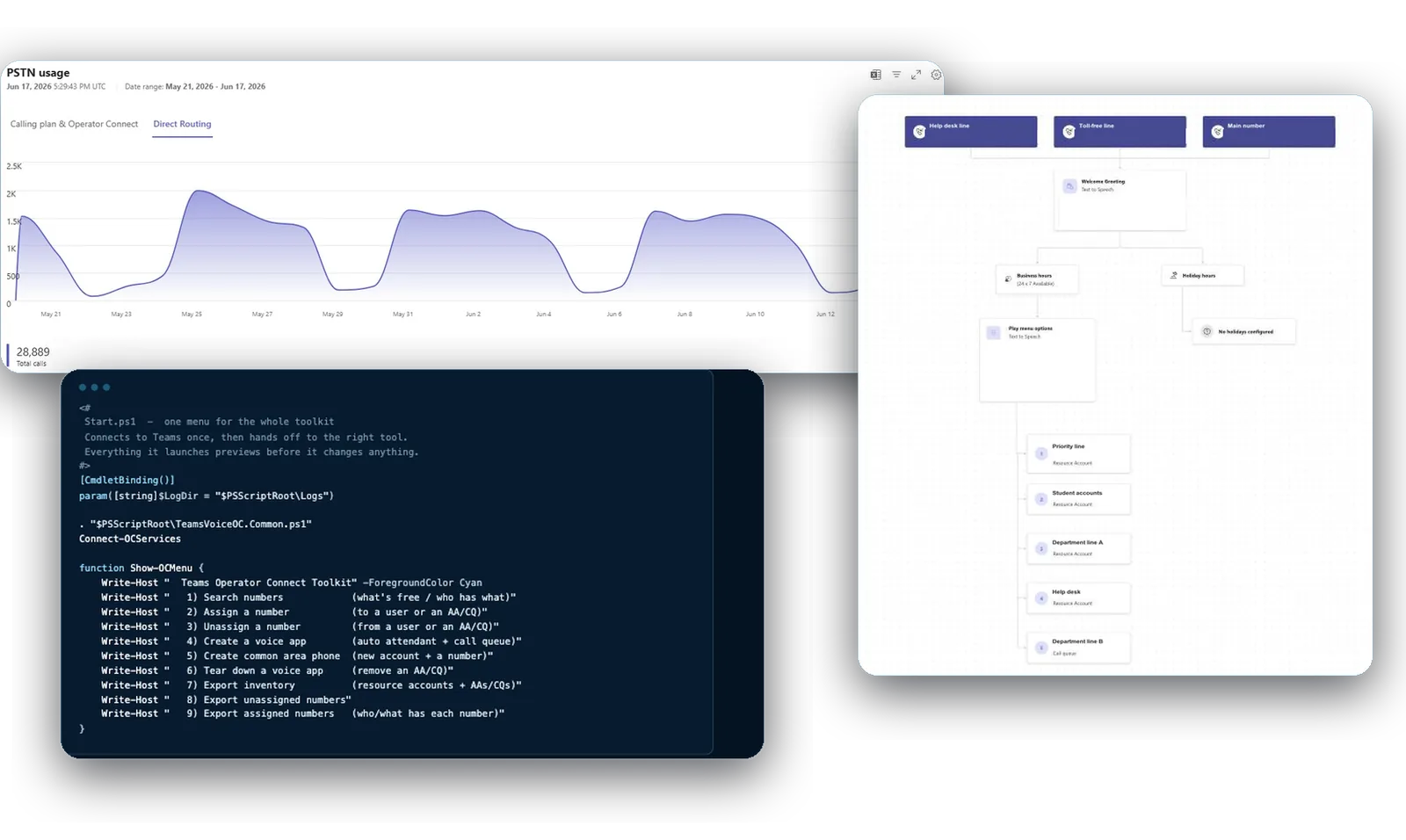
Three screens from the Teams Phone service we run: a four-week call volume report, the menu of our number and voice-app toolkit, and the call flow of a help desk auto attendant

A month of call volume, the toolkit we built to manage numbers and voice apps, and the call flow behind a help desk number, from the Teams admin center. A major New York City university. Numbers, greetings and queue names removed.

Questions we get

Can Teams replace our phone system or our hosted phone service?

Yes, for most organizations, whether calls run through an on-premises PBX today or a hosted calling service. Teams Phone carries the main number, queues, attendants, voicemail, and desk phones where a desk needs one. The exceptions are life-safety lines such as elevators and fire alarms, which stay on their own service.

Operator Connect or Direct Routing?

It depends on whether you have carrier contracts or equipment to keep. With Operator Connect, a carrier connects Teams to the phone network and you manage numbers in Teams. Direct Routing uses your own session border controller, so existing contracts and equipment stay in use. The Assess phase recommends one for your sites.

How long does a Teams Phone rollout take?

A single-office cutover is scoped in weeks, and a multi-building program runs months, in waves with extra support after each. The Assess phase at the start typically takes 2–3 weeks.

What happens to our existing numbers?

They move with you. Numbers port in waves, with one system authoritative per number at any time, and the legacy system stays alive until the last wave is done.

What changes the size of a Teams Phone project?

Mostly the number of sites and numbers, and whether calls connect through Operator Connect or your own equipment. It also depends on how many desk phones are needed, and which lines stay off Teams.

Does 911 work on Teams Phone?

Yes, with Dynamic 911. Emergency calls carry the caller’s location, mapped by building, floor, and room. Your network team keeps the location data current, or we do under Teams Phone operations. We set it up and test it before the first wave.

Talk to us about Teams Phone

It starts with a 60-minute call. If we need more to scope it, a short questionnaire follows. Then a written proposal and statement of work. Once you approve, we begin with the Assess phase.