For organizations with Copilot licenses bought or planned, and usage that hasn’t followed.
We check the tenant’s guardrails, set up Microsoft 365 Copilot, and drive adoption department by department with a champions community. Then we build agents that take repeatable work off your teams, with a person approving what goes out.
The Copilot Readiness Assessment finds what Copilot could expose and fixes it before rollout, and sets the baseline the adoption program works from. Agents and automation follow on the same governed content.
Copilot Readiness Assessment
Estimated 2–3 weeks
What Copilot could expose, found and fixed before rollout, and a baseline to measure adoption against.
What you get
Licensing and identity review
Oversharing findings from Microsoft Purview
Sensitivity labels and data loss prevention set for Copilot
Roles and use cases mapped by department
Best for
Licenses bought, rollout date set, nobody has checked what Copilot can see.
A champions community, a prompt toolkit for your own tasks, and training aimed where use is flat, with usage by department and app on a dashboard refreshed daily.
What you get
A champions community with recorded sessions
A prompt toolkit written for your own tasks
Personas and manager expectations by role
Department assessments and renewal reporting
Our Copilot adoption dashboard in your tenant
Best for
Copilot is switched on, few people use it, and nobody can say whether the renewal is worth it.
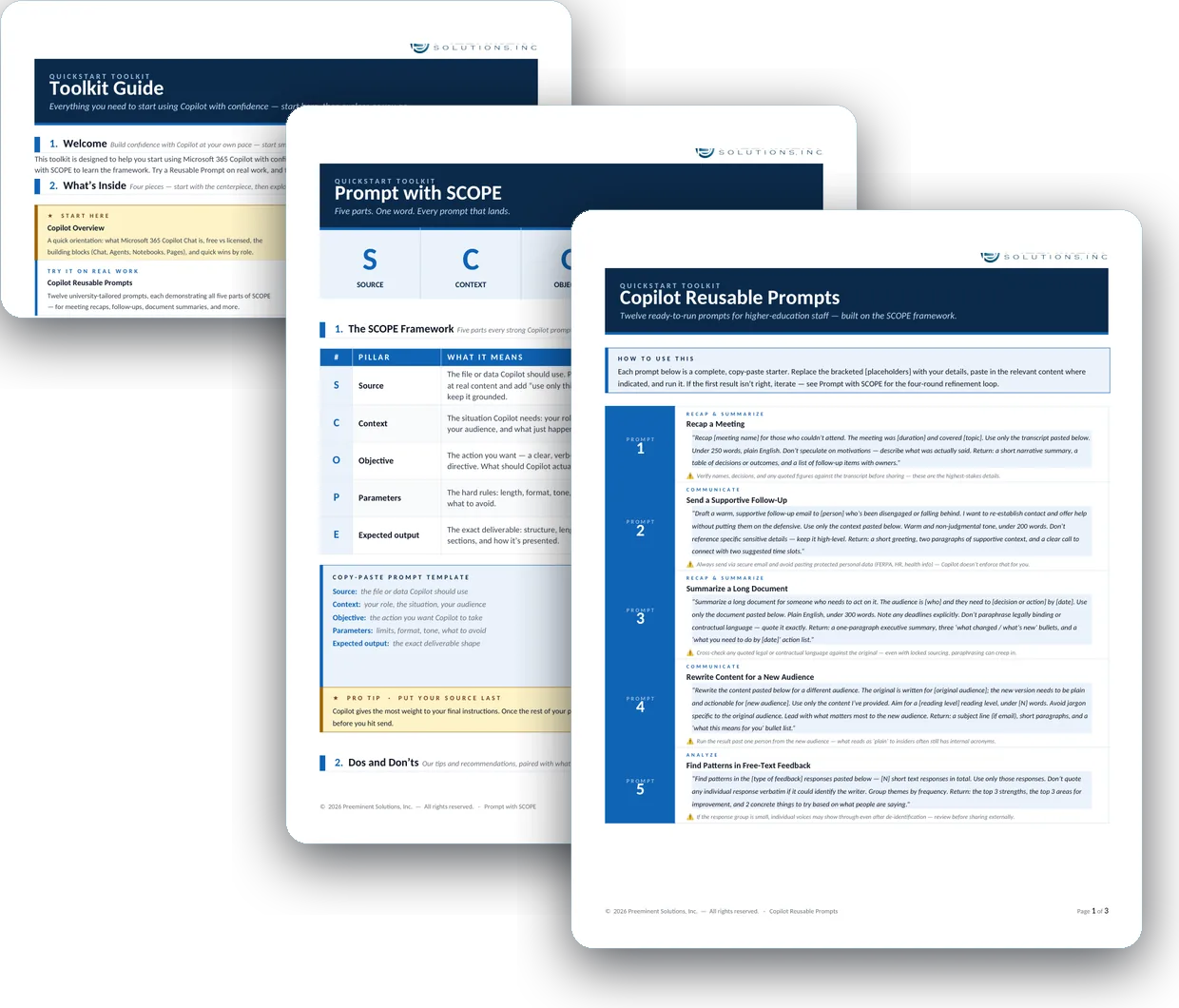
The toolkit guide, the SCOPE prompting framework and a set of reusable prompts we wrote for the champions community at a major New York City university.
The HR department at a major New York City university knew AI could help but had no shared way to decide where.
Delivered June 2026Read more
Questions we get
How long does Copilot adoption take?
It depends on how many sessions you want and what they cover. The Copilot Readiness Assessment above lists its estimated length, and the adoption program is scoped in the proposal.
What changes the size of a Copilot rollout?
Mostly how many people are licensed and whether the tenant has had a readiness check. If agents are in scope, how many there are and what they connect to add to it.
Do we need to clean up SharePoint before Copilot?
You don’t have to finish first. Copilot shows people only what they can already access, so the Copilot Readiness Assessment finds oversharing, sets sensitivity labels and data loss prevention in Microsoft Purview, and checks exposure before broad rollout. Securing agents and AI apps beyond those checks is AI Security, and labels across the whole organization are Data Security and Compliance.
What’s the difference between Microsoft 365 Copilot, Copilot Chat, and Copilot Studio?
Microsoft 365 Copilot works inside Word, Excel, PowerPoint, Outlook, and Teams, grounded in your organization’s data and each person’s permissions. Copilot Chat is the included, web-grounded chat with enterprise data protection. Copilot Studio is the tool for building, connecting, and governing agents.
Can an agent answer our shared mailbox?
It can draft the answers. A mailbox agent reads each email, matches it to the team’s documented responses, stages a draft, and logs the request. A person reviews and sends, so no reply goes out on its own.
Our people already use consumer AI tools. What should we do?
Find out what they’ve figured out, then move it inside your tenant. A routine that already works can be rebuilt as a governed Copilot agent, keeping the format people rely on and keeping the data inside your controls.
Talk to us about Microsoft 365 Copilot Adoption and Agents
It starts with a 60-minute call. If we need more to scope it, a short questionnaire follows. Then a written proposal and statement of work. Once you approve, we begin with the Assess phase.